
Serial Number Check: Verify Device Authenticity & Warranty
Byadmin
Imei Tracker, IMEI number
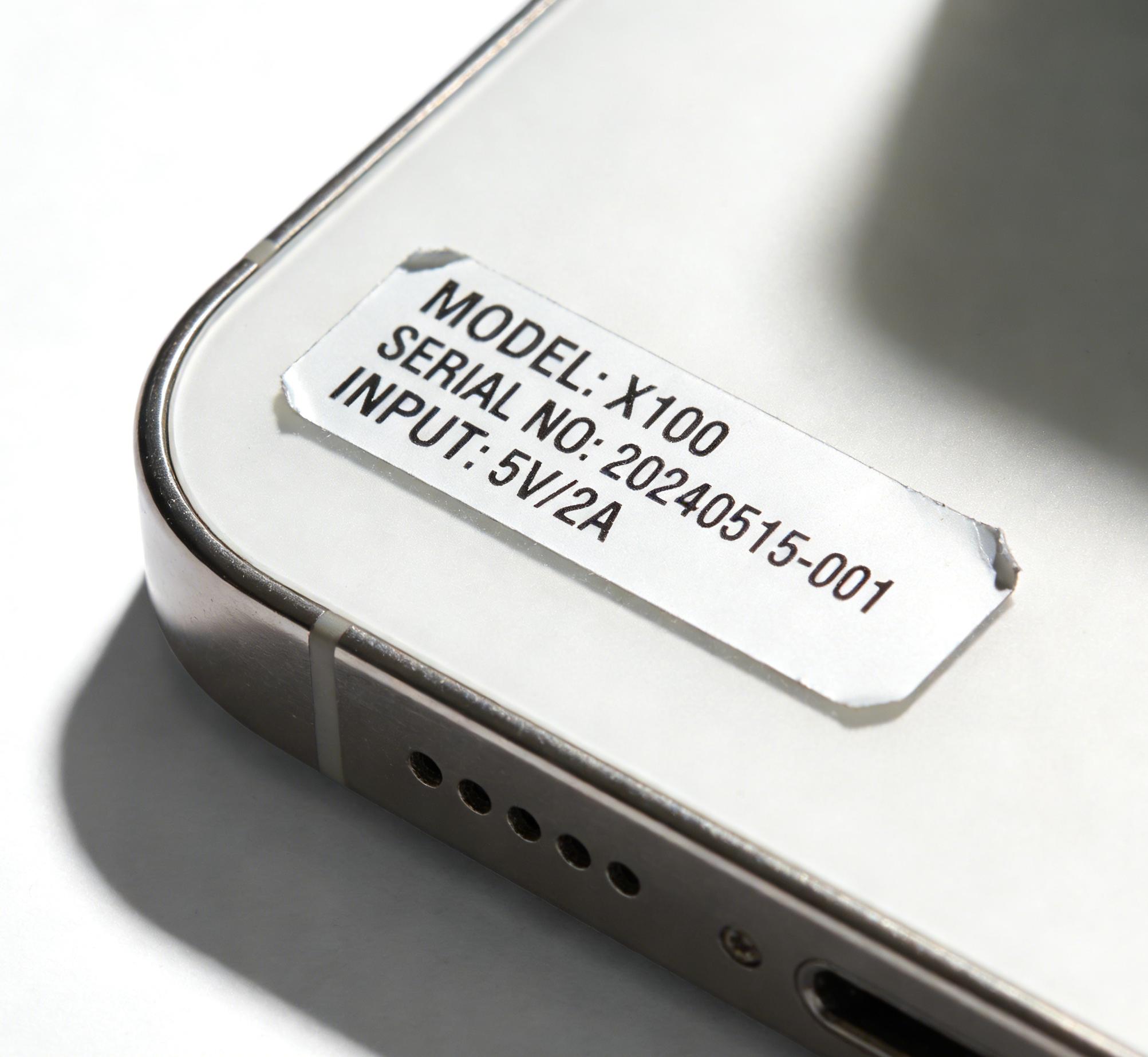
Buying a smartphone, laptop, tablet, smartwatch, or any electronic device without performing a serial number check can be an expensive mistake. Every year, millions of people unknowingly purchase refurbished devices sold as new, products with expired warranties, or even stolen electronics simply because they skipped one simple verification step.
A serial number check helps you verify whether a device is genuine, identify its manufacturing details, confirm warranty eligibility, and detect possible fraud before making a purchase. Whether you're buying a brand-new phone, a certified refurbished laptop, or a second-hand device from an online marketplace, checking the serial number gives you valuable information that isn't visible just by looking at the product.
According to the Global Anti-Counterfeiting Group, counterfeit electronics contribute to billions of dollars in losses worldwide each year, affecting manufacturers, retailers, and consumers alike. In the used smartphone market alone, research from multiple industry reports estimates that over 300 million pre-owned smartphones are sold globally every year, making verification more important than ever.
This guide explains everything you need to know about a serial number check, how it works, what information it reveals, when you should perform one, and the best practices to protect yourself from scams and costly buying mistakes.
Why Is a Serial Number Check Important?
A serial number is a unique identifier assigned by the manufacturer to every individual product during production. Unlike a model number, which is shared across thousands of devices, the serial number is exclusive to one specific unit.
Performing a serial number check allows you to:
Verify product authenticity
Confirm warranty status
Check manufacturing date
Identify the exact model
Validate repair eligibility
Detect counterfeit products
Compare seller information
Verify replacement parts compatibility
For expensive electronics, spending two minutes on verification can potentially save hundreds of dollars.
What Information Can a Serial Number Check Reveal?
Different manufacturers provide different levels of information, but most serial number databases can reveal important details.
Device Identification
A serial number often confirms:
Device model
Storage capacity
Color variant
Manufacturing plant
Production batch
For example, two phones may look identical externally but have different storage capacities or regional versions.
Warranty Status
Many manufacturers allow users to verify:
Warranty start date
Warranty expiration
AppleCare eligibility
Extended warranty coverage
Service availability
This helps buyers determine whether the device is still protected.
Manufacturing Details
A serial number check may reveal:
Manufacturing year
Production month
Factory location
Product generation
Older inventory sometimes remains unsold for years before reaching customers.
How Does a Serial Number Check Work?
Manufacturers maintain databases containing production records for every product they manufacture.
When you enter a serial number into an official verification system, the database compares your input against its records and returns matching information.
The verification process generally involves:
Reading the serial number
Searching the manufacturer's database
Matching production records
Displaying product details
Showing warranty information
This process usually takes only a few seconds.
Devices That Support Serial Number Checks
Although smartphones are the most common products verified, many other electronics also support serial number lookup.
Smartphones
Apple iPhone
Samsung Galaxy
Google Pixel
OnePlus
Xiaomi
OPPO
Vivo
Computers
MacBook
Windows laptops
Gaming laptops
Desktop computers
Other Electronics
Tablets
Smartwatches
Wireless earbuds
Gaming consoles
Cameras
Printers
Routers
Nearly every premium electronics manufacturer assigns unique serial numbers.
Serial Number vs IMEI: What's the Difference?
Many people confuse these two identifiers.
FeatureSerial NumberIMEI NumberIdentifiesDeviceCellular hardwareUsed ForWarranty & manufacturingNetwork identificationAvailable OnMost electronicsMobile phones with cellular connectivityAssigned ByManufacturerManufacturer + GSMANetwork BlockingNoYesWarranty LookupYesSometimes
While both are useful, they serve different purposes.
Common Situations Where You Should Perform a Serial Number Check
Before Buying a Used Device
Second-hand marketplaces continue to grow rapidly.
Before handing over payment:
Verify the serial number
Match device specifications
Confirm warranty
Inspect physical condition
Compare model information
This simple process significantly reduces buying risk.
Before Claiming Warranty
Manufacturers typically require serial numbers to:
Confirm ownership
Verify warranty
Schedule repairs
Order replacement parts
Having the correct serial number speeds up customer support.
Before Selling Your Device
Providing buyers with verified information builds trust.
Include:
Purchase date
Warranty status
Model confirmation
Original accessories
Battery condition
Transparent sellers often receive better offers.
Real Example: How a Buyer Avoided a Costly Mistake
A buyer found a premium smartphone listed for 35% below the average market price.
Everything looked genuine:
Original box
Accessories
Charger
Invoice copy
However, after performing a serial number check, the buyer discovered the phone had already exceeded its warranty period by nearly two years, despite the seller claiming it was "brand new."
The buyer avoided spending hundreds of dollars on an old device simply by verifying the serial number first.
Industry Numbers That Highlight the Importance
Recent market research shows why verification matters:
More than 300 million used smartphones are sold globally each year.
The refurbished smartphone market is expected to exceed $100 billion in value over the next few years.
Counterfeit goods account for an estimated 3% of global trade, according to international economic studies.
Consumer surveys consistently show that warranty verification is among the top three concerns when purchasing second-hand electronics.
These figures demonstrate why a serial number check has become a standard step for informed buyers.
Tips for Performing an Accurate Serial Number Check
Following a few best practices can improve the accuracy of your results.
Always copy the serial number exactly as printed.
Avoid confusing similar characters such as "O" and "0" or "I" and "1".
Verify using official manufacturer resources whenever possible.
Compare the serial number on the device with the box and invoice.
Never rely solely on screenshots provided by sellers.
Cross-checking multiple sources provides greater confidence.
Common Mistakes People Make
Even experienced buyers sometimes overlook basic verification steps.
Skipping Verification
Many assume that sealed packaging guarantees authenticity.
Counterfeit packaging has become increasingly sophisticated.
Trusting Seller Claims
Statements like:
"Unused"
"Brand new"
"Factory sealed"
should always be verified independently.
Ignoring Mismatched Information
If:
Box serial number differs
Device serial number differs
Invoice information differs
there may be a problem worth investigating.
Protecting Yourself From Electronics Fraud
Besides performing a serial number check, buyers should also:
Purchase from reputable sellers
Request original invoices
Verify warranty
Inspect physical condition
Test all major hardware functions
Check activation status
Compare market pricing
Taking these precautions reduces the likelihood of fraud.
Why Buyers Should Also Consider a Device Warranty Check
A device warranty check provides another layer of confidence when evaluating electronics.
While a serial number confirms identity, warranty verification helps determine whether repairs, replacements, or manufacturer support are still available. Combining both checks gives buyers a much clearer picture of the product's overall value and reliability.
Frequently Asked Questions
Does every electronic device have a serial number?
Yes. Most manufacturers assign a unique serial number to every individual product they produce. The serial number helps identify the device for warranty, servicing, manufacturing records, and customer support. While the format varies between brands, nearly all electronics—including smartphones, laptops, tablets, and gaming consoles—have one.
Can a serial number confirm if a device is original?
A serial number check can help verify whether the number exists in the manufacturer's database and whether the product details match the device. However, it should be combined with a physical inspection, warranty verification, and other checks because counterfeit products may sometimes display copied serial numbers.
Is a serial number the same as an IMEI number?
No. A serial number identifies the individual product, while an IMEI identifies the cellular communication hardware inside compatible mobile devices. Both numbers are unique but serve different purposes. Using them together provides a more complete verification of a smartphone.
Conclusion
Performing a serial number check is one of the simplest yet most effective ways to verify the authenticity and history of an electronic device. Whether you're purchasing a used smartphone, confirming warranty coverage, or selling your own gadget, this quick verification step can help prevent fraud, avoid unnecessary expenses, and give you greater confidence in your decision.
As the market for refurbished and second-hand electronics continues to expand, smart buyers increasingly rely on serial number verification as part of their purchasing process. Taking a few moments to verify the details today can save you significant time, money, and frustration in the future.
What is Serial Number Check?
A serial number check is the process of verifying a device's unique manufacturer-assigned identification number to confirm its authenticity, warranty status, manufacturing details, and product information.
How to Perform a Serial Number Check?
Locate the serial number on your device, packaging, or purchase invoice, then enter it into the manufacturer's official verification page or a trusted device information service. Compare the returned details with the actual product to ensure everything matches.
Best Way to Perform a Serial Number Check?
The best approach is to use the official manufacturer database, verify that the serial number matches the device, box, and invoice, and combine the results with a warranty check and physical inspection before purchasing or servicing the device.
Leave a Reply
Your email address will not be published. Comments are reviewed before they appear.